
Write, Publish, Manage. Powered by your files.
Create, manage and publish content directly on your website. Airdraft allows you to write and publish content directly from your files.
Everything you need
Content management that gets out of your way
From structuring your data to publishing, Airdraft handles the workflow so you can focus on content.
Git-first storage, with database options
Content that lives in your repo
Every entry is committed as an MDX, JSON, or YAML file directly to your GitHub repository via the GitHub App. No proprietary database — your content is always in your files.
- Commits via GitHub App
- MDX, JSON & YAML formats
- Zero vendor lock-in
Schema editor
Build your schema visually
Define collections and fields with a two-panel GUI. Choose from 12+ field types — including blocks, relations, and media — with a live JSON schema preview.
- 12+ field types
- Blocks, relations & media fields
- Live JSON schema preview
Entry editor
Write rich, structured content
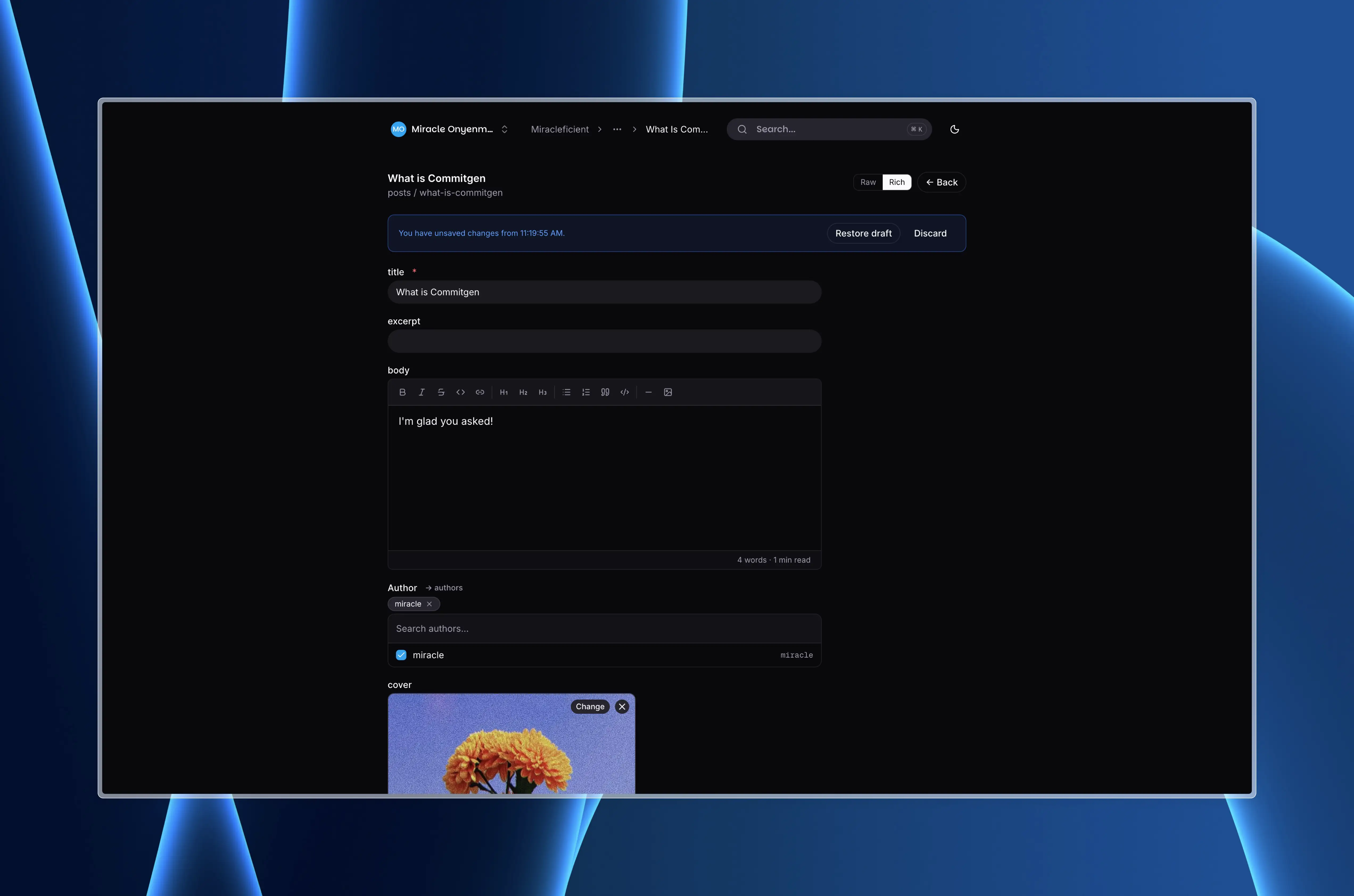
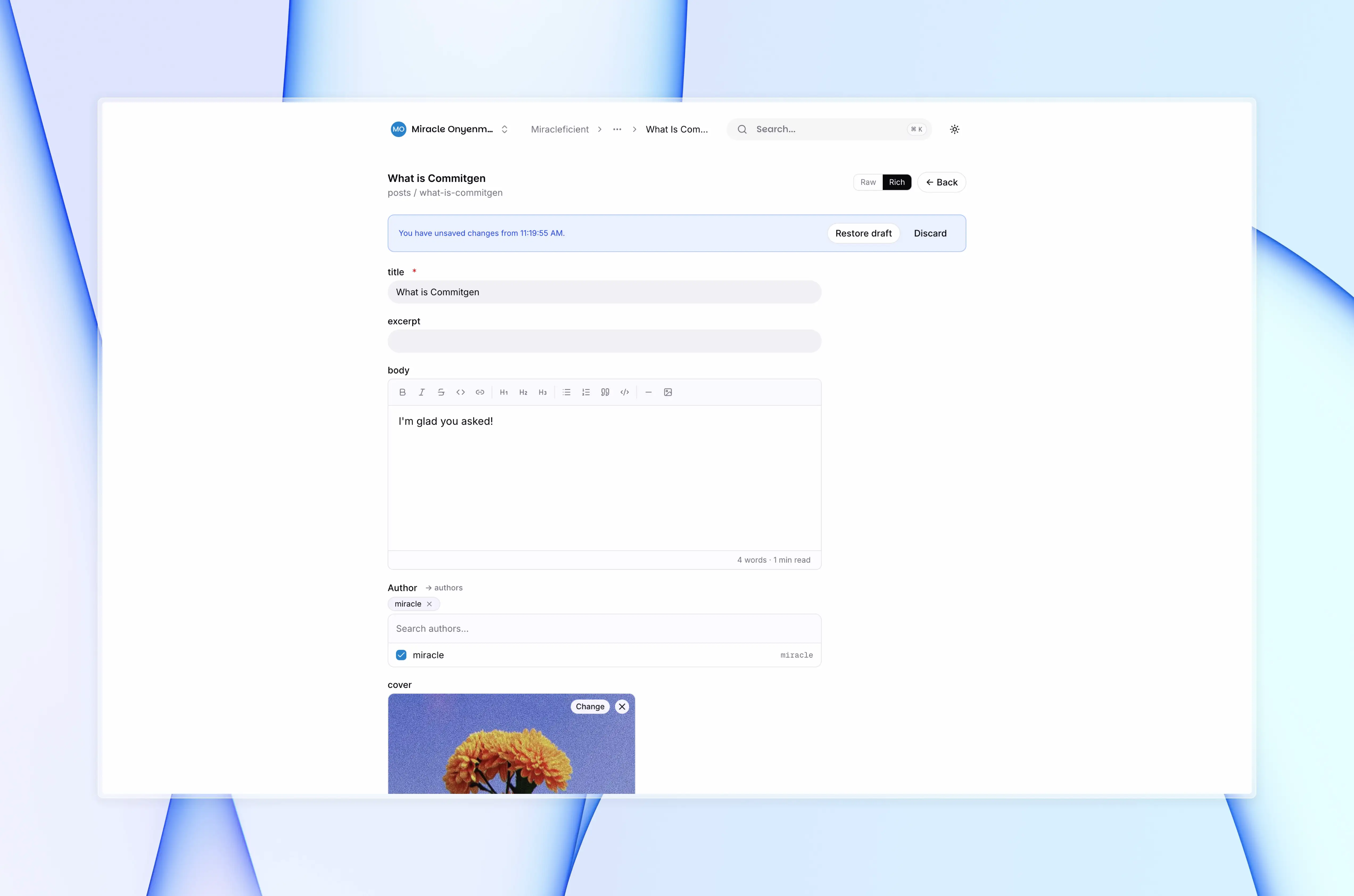
Compose in rich text or MDX with inline media pickers, structured block fields, and relation selectors. Read time and word count are computed automatically.
- Rich text, MDX & structured blocks
- Inline media & relation pickers
- Auto read time & word count
Team & access control
Keep your team in sync
Invite collaborators, assign roles, and track every change. Granular permissions and a full audit log mean nothing slips through the cracks.
- Admin, publisher & editor roles
- Invite by email
- Full audit log
How it works
Live in minutes, not weeks
No complex migrations. Connect your repo, model your schema, and your team is publishing content the same day.
Install & connect
Run `npx airdraft init` to scaffold your config and connect your GitHub repo. Airdraft creates a scoped GitHub App installation so only your chosen repos are touched.
Model your schema
Use the visual schema editor to define collections, field types, blocks, and media. Your schema is saved as a JSON file committed directly to your repository.
Write & publish content
Authors log in to the cloud editor and create entries. Every save is a real Git commit — with a message, author, and full diff — so nothing is ever lost.
Fetch & render anywhere
Query your content with the TypeScript SDK, REST API, or framework adapters for Next.js, Astro, and Remix. Your content is plain files — render however you like.
Use cases
Built for any content, any team
If your project has content, Airdraft can manage it. It adapts to your schema, your workflow, and your existing Git setup.
Developer blogs
Write in MDX, commit to Git, render with your favourite framework. No CMS lock-in, full control over layout and custom components.
Documentation sites
Manage versioned docs as plain files. Teams edit in the cloud editor, developers render with their existing tooling and build pipeline.
Marketing websites
Give marketers a visual editor while keeping content in the repo. No more fighting over code vs. content ownership — both teams get what they need.
Multi-author publications
Assign roles, track contributions by author, and review changes before they go live. Git history is your audit log.
Agency client portals
Create separate workspaces per client from one account. Each workspace has its own GitHub repo, schema, team, and billing.
E-commerce & product pages
Model product data as structured collections and render with your storefront. Schema changes are committed, versioned, and always reversible.
Trust
Your content, your repo, always
Airdraft never holds your content hostage. Everything is committed to your repo as plain files — readable, movable, and yours regardless of your subscription.
Git is your database
Every entry is a real commit to your GitHub repository. No proprietary database — your content is plain MDX, JSON, or YAML files you own forever.
Zero vendor lock-in
Disconnect Airdraft and your content stays in your repo exactly as it was. No export needed, no migration required — it's already in your files.
Scoped API keys
Create multiple API keys with read-only or read-write scope. Rotate or revoke them instantly from your workspace settings.
Role-based access control
Admin, publisher, and editor roles keep the right people in the right places. Invite collaborators by email with a single click.
Integration
One SDK. Any framework. Your stack.
Official packages for React, Next.js, TypeScript, and the CLI — everything you need to fetch and render your Airdraft content wherever your frontend lives.
@airdraft/reactReact hooks & components
Fetch content with `useEntries()` and `useEntry()`, or drop in pre-built UI components. Works with any React-based framework.
@airdraft/nextNext.js adapter
File-based routing helpers, ISR support, and typed `getStaticProps` utilities. Zero config for the most common Next.js content patterns.
@airdraft/clientTypeScript SDK
The official HTTP client for Node.js and edge runtimes. Fully typed, tree-shakeable, and compatible with any JavaScript framework.
@airdraft/cliCLI
Init projects, manage schema, push and pull content, and trigger deploys from the terminal. Ideal for CI/CD pipelines and local development.
Get started
Your content is already in your repo. Let's manage it properly.
Connect your GitHub repo, define a schema, and your team can start publishing in minutes. No migration, no lock-in.